
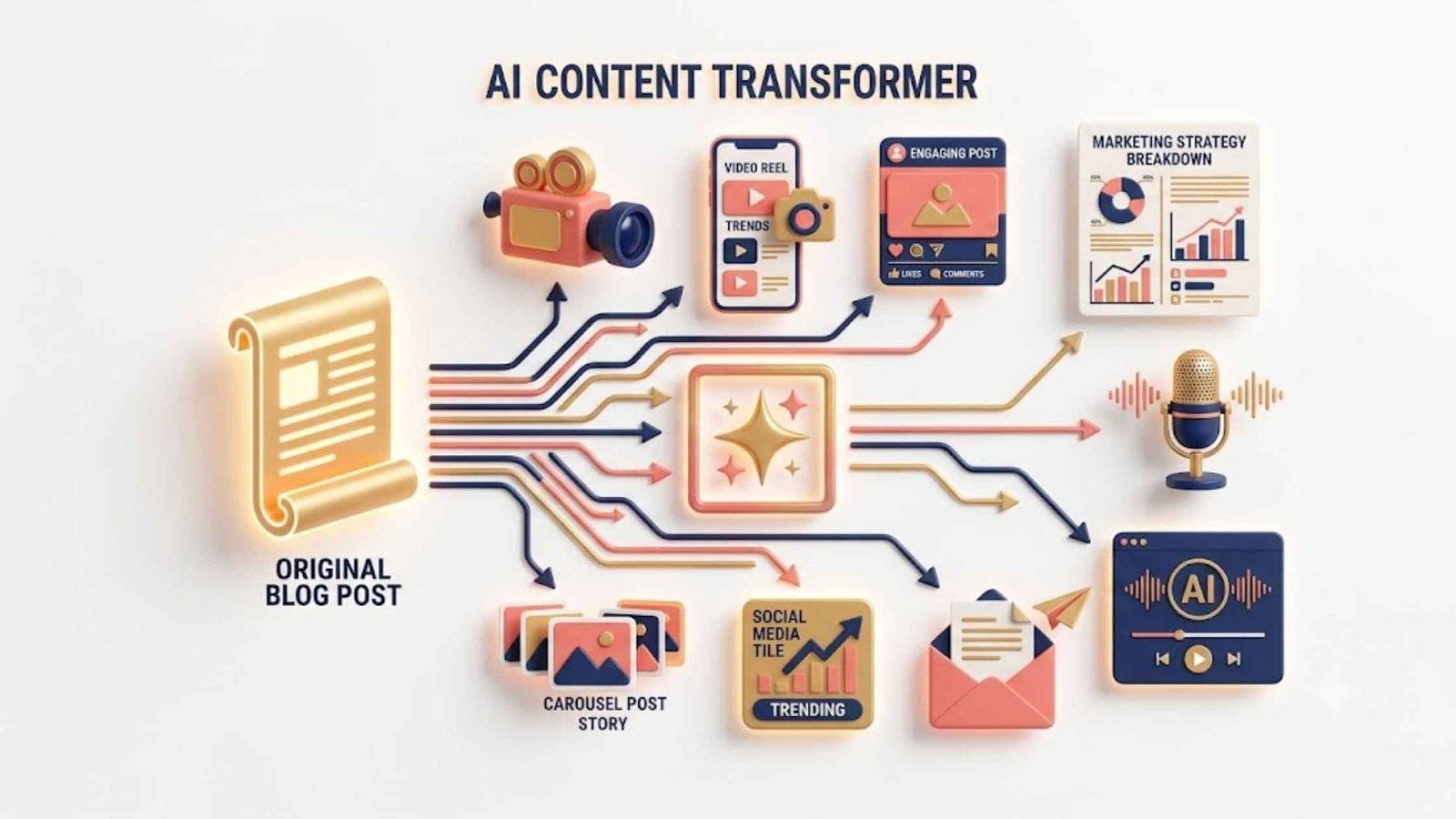
You spend hours, sometimes days, crafting a well-researched, comprehensive blog post. It publishes, gets some traffic, and then… sits there. Meanwhile, you’re scrambling to create fresh content for social media, email newsletters, and video platforms.
This is the content creator’s dilemma: the demand for channel-specific content never stops, but the time to create it from scratch simply doesn’t exist.
Content repurposing, transforming a single asset into multiple formats for different platforms, solves this problem. And with AI tools for content repurposing, what once took days of manual rewriting, reformatting, and redesigning now takes hours or even minutes.
Recent research shows that 42% of marketers say updating and repurposing existing content drove their most successful campaigns. Yet many creators still treat each platform as a silo, starting from zero every time.
This article will show you exactly how to turn one blog post into ten distinct pieces of content using AI. You’ll learn a systematic workflow, discover the best AI tools for each task, and understand how to maintain quality and brand voice across every format.
Why Content Repurposing Matters More Than Ever
Before diving into the “how,” let’s understand the “why.”
Audiences consume content differently across platforms. The LinkedIn professional wants data-backed insights. The Instagram scroller wants visual storytelling. The podcast listener wants deep dives during commutes. The email subscriber wants curated value in their inbox.
Your blog post contains all this value—it just needs to be shaped for each context.
Using AI for content repurposing offers several critical advantages:
- Time efficiency: AI can transform content in seconds that would take hours manually. One tool can turn “one video into over 15 pieces of content” with automated distribution.
- Extended shelf life: Without repurposing, your content’s shelf life is dramatically reduced. AI helps you identify content that can be repurposed and automatically modify it for various platforms.
- Improved SEO: Repurposing content across multiple platforms increases your online presence and improves search visibility. Multiple formats targeting different search intents can dramatically expand your reach.
- Consistent brand messaging: AI tools can be trained on your brand voice, ensuring every repurposed piece stays aligned with your company’s messaging.
- Cost savings: Repurposing existing content saves money that would otherwise go toward creating new content from scratch.
The Core Workflow: From Blog Post to Content Ecosystem
Let’s walk through the complete repurposing workflow using the best AI tools for content repurposing.
Step 1: Start with a Strong Foundation
Your repurposing strategy begins with identifying the right blog post. Not every article deserves the full treatment.
Choose blog posts that:
- Have proven performance (strong traffic, engagement, or conversions)
- Offer actionable insights or data
- Are evergreen or can be easily updated with fresh information
- Align with current audience needs and pain points
AI-powered tools like ContentGems or BuzzSumo can automate this auditing process, flagging top performers based on your KPIs.
For maximum AI visibility, ensure your blog post:
- Incorporates original data and statistics (LLMs prioritize content with 30-40% higher citation rates for content including statistics)
- Uses structured content with clear headings, bullet points, and tables (well-structured content is three times more likely to receive accurate citations)
- Includes subject matter expert quotes with names, titles, and credentials
The 10 Pieces of Content Your Blog Post Can Become
Here’s the complete breakdown of what you can create from one blog post using AI.
1. LinkedIn Post Series
LinkedIn demands professional, insightful content that positions you as a thought leader.
How to do it with AI:
Using tools like ChatGPT, Claude, or Dropbox Dash, extract the key takeaways from your blog and generate platform-optimized posts. You can use a prompt like the following:
“Repurpose this blog post into 5 LinkedIn posts. Each should highlight a different insight, include a hook, and end with a question to drive engagement. Maintain a professional, authoritative tone.”
Pro tip: Run the blog repurposing prompt in Dash Chat to generate platform-specific drafts that preserve your tone and messaging consistently across formats.
Example from practice: An immigration lawyer used AI to generate 10-15 LinkedIn, X, and Facebook posts from a single webinar transcript.
2. X/Twitter Thread
Twitter threads perform exceptionally well because they break down complex ideas into digestible tweets that encourage saves and shares.
How to do it with AI:
Claude’s Content The Repurposer plugin can turn one long piece of content into an X/Twitter thread (8-12 tweets), a LinkedIn post, and an Instagram caption—all with a single command. You paste your content, choose a tone (casual, professional, or bold), and receive all three pieces.
Tips for effective threads:
- Each tweet should cover one key point
- Include a compelling hook in the first tweet
- End with a call-to-action
- Add relevant hashtags
3. Instagram Carousel
Instagram carousels allow you to present information in a scannable, visually appealing format that drives engagement.
How to do it with AI:
Canva Magic Studio has completely transformed visual content creation. Features like Magic Switch can transform a horizontal presentation into a vertical Instagram post within seconds, automatically resizing text and animations .
Steps:
- Extract 5-10 key points from your blog post
- Use Canva’s AI to create templates for each slide
- Add your branding and visuals
- Export as a carousel-ready format
4. Video Script and Short-Form Video
Video content outperforms text across almost every metric. Your blog post contains all the material for a compelling video.
How to do it with AI:
Lumen5 is specifically designed to convert text-based content into engaging videos. Its AI algorithms scan your article and automatically recommend relevant visuals, music, and transitions.
Synthesia allows you to create professional videos using AI-generated avatars. Write the script (which AI can generate from your blog), choose a presenter, and the platform creates a complete video within minutes.
For short-form video (TikTok, Reels, YouTube Shorts):
- Use AI to identify the most engaging 60-second segments
- Descript lets you edit video by editing text—delete words from the transcript and they’re automatically removed from the media file
- Pictory auto-extracts key points and syncs them with visuals
5. Email Newsletter
Your blog post can become an entire email sequence, not just one email.
How to do it with AI:
Use AI to generate:
- A 300-word digest version of the blog post
- A compelling subject line
- CTAs customized for different audience segments
Example from practice: The immigration lawyer used AI to generate a “What You Need to Know” digest for their firm’s email newsletter.
For even more impact, create a 3-5 email sequence where each email expands on one section of the blog post. AI can help maintain consistency while adapting tone for each email’s purpose.
6. FAQ Document
Turn your blog post into a valuable client-facing Q&A resource.
How to do it with AI:
Feed your blog post to ChatGPT or Claude with a prompt like the following:
“Convert this blog post into an FAQ document with 10-15 questions and answers. Use natural, conversational language and organize questions by topic.”
Example from practice: The immigration lawyer converted a webinar transcript into a client-facing Q&A handout covering questions like “What happens if my H-1B isn’t selected?” and “What are the wage requirements?”.
7. Slide Deck (LinkedIn Carousel)
Transform your blog post into a professional presentation that can be shared on LinkedIn or used in client meetings.
How to do it with AI:
Canva Magic Studio can auto-generate a complete template optimized for each platform. You can type a simple description, and the tool automatically designs a template with appropriate dimensions and formatting.
AI graphic generation tools like Midjourney v7 can create professional visuals to accompany each slide. The latest version has solved the distorted-fingers issue and produces incredibly realistic images.
Example from practice: A webinar’s slide deck was transformed into a LinkedIn infographic series covering timelines, compliance checklists, and process maps.
8. Short-Form Social Content (Multi-Platform)
Beyond LinkedIn and X, your content needs to exist across platforms like Facebook, Threads, and Instagram.
How to do it with AI:
Dropbox Dash can generate drafts for multiple platforms in a single output. The AI handles layout adjustments for each platform format, meaning you’re ready to publish faster.
The key is platform-specific optimization: what works on LinkedIn won’t work on Facebook. AI tools can adjust length, tone, and format automatically.
Pro tip: Use a prompt like
“Generate 3 social media posts for Facebook, 3 for Instagram, and 3 for Threads from this blog post. Each should be optimized for the platform’s culture and engagement patterns.”
9. Podcast Script or Episode
Your blog post can be adapted into a podcast episode, reaching audiences who prefer audio content.
How to do it with AI:
- Use AI to rewrite the blog post as a conversational script
- ElevenLabs offers realistic voice generation and voice cloning, supporting 32 languages for professional-quality audio
- Descript can transcribe and edit podcast audio, removing filler words like “um” with a single click
Example from practice: An immigration lawyer had AI edit audio from a webinar to create a rebranded podcast episode titled “H-1B Cap Season 2025: What Employers Need to Know”.
10. Visual Explainers and Infographics
Complex information in your blog post can be transformed into more accessible, shareable visual formats.
How to do it with AI:
AI tools can generate graphics and flowcharts for topics in your blog post:
- Step-by-step process flows
- Comparison charts
- Decision trees
- Timeline graphics
Canva’s AI features and Midjourney can create these visuals with minimal input. For example, from a blog about “5 Mistakes First-Time Homebuyers Should Avoid,” you could create an infographic showing each mistake with an explanation and solution.
Advanced AI Repurposing Strategies
Angle Multiplying, Not Format Splitting
The most powerful repurposing strategy goes beyond format conversion—it’s about angle multiplication.
Instead of just compressing your blog post into shorter formats, create variations that serve different audience segments and pain points .
From one white paper, you can generate content with different angles:
- Myths: “5 Myths About [Topic] That Are Costing You Money”
- Mistakes: “7 [Topic] Mistakes Everyone Makes (and How to Avoid Them)”
- Lessons: “What We Learned Analyzing 100 [Topic] Examples”
- Steps: “6 Steps to Master [Topic]”
- Benefits: “5 Benefits of [Topic Solution]”
- Reasons: “10 Reasons [Topic Problem] Happens”
AI tools can generate these variations automatically. Jasper has become the gold standard for professional marketing teams—it remembers your brand style and consistently applies linguistic and editorial guidelines. You can upload previous posts, and it will generate new content matching the same tone .
Voice Transfer
Train AI platforms like contentmarketing.ai on your brand voice, then feed partner content or call transcripts into the model. The AI can then rewrite content in your unique voice, enabling brand cross-pollination while taking a load off your team .
CTA Banks
Use AI to generate audience-specific CTAs. One white paper about latency in trading systems could generate:
- For technical experts: “See how we cut round-trip latency by 42%”
- For decision-makers: “Discover how faster execution translates into 7-figure P&L impact”
- For legacy users: “Still optimizing legacy middleware? See what modern engines deliver”
Objection Libraries
Gather client objections from sales conversations, demos, and emails. Use AI to cluster them by theme and expand them into FAQ threads, landing pages, or rebuttal posts. You’re repurposing pushback into content fuel .
The Best AI Tools for Content Repurposing
All-in-One Repurposing Platforms
Dropbox Dash offers universal search to find past content, AI chat to generate repurposed formats, and “Stacks” to organize related assets by campaign. One prompt in Dash Chat can generate LinkedIn posts, newsletter excerpts, and webinar abstracts simultaneously .
Writing and Text Generation
| Tool | Best For | Key Feature |
| ChatGPT Plus | Complex reasoning and long-form scripts | $34/month, 200K token context |
| Claude 4.6 Pro | Human-like text and document analysis | Excellent for maintaining natural language |
| Jasper | Professional marketing content | Brand voice training and consistency |
| Gemini Advanced | Google ecosystem integration | Seamless with Docs and Sheets |
Video and Audio
| Tool | Best For | Key Feature |
| Lumen5 | Text-to-video conversion | Auto-synced visuals and music |
| Synthesia | AI avatar videos | Professional presenter without cameras |
| Descript | Video/podcast editing | Edit video by editing text |
| Pictory | Video from text | Auto-extraction of key points |
| ElevenLabs | Voice generation | 32 languages, realistic voice cloning |
Visual Design
| Tool | Best For | Key Feature |
| Canva Magic Studio | Multi-platform designs | Magic Switch for one-click resizing |
| Midjourney v7 | Image generation | Realistic images, solved finger issues |
SEO and Research
| Tool | Best For | Key Feature |
| Surfer SEO | Content optimization | Live scoring against top pages, 34% traffic increases reported |
| NotebookLM | Document analysis | Creates audio summaries extracting key insights |
Maintaining Quality and Brand Voice with AI
The biggest concern with AI-generated content is losing your unique voice. Here’s how to maintain quality:
1. Human Oversight Remains Essential
AI tools are amplifiers, not replacements. Valuable content comes from deeply understanding your audience, sharing authentic experiences, and presenting unique perspectives people cannot find elsewhere. Tools help you reach those goals faster but cannot replace honesty, originality, and continuous learning .
Editorial control is critical. If you use AI to generate graphics, be mindful of copyright issues. The ultimate responsibility for content truthfulness rests with you .
2. Train AI on Your Brand Voice
Tools like Jasper and contentmarketing.ai allow you to upload examples of your writing to train the AI on your style. Canva’s Brand Kit maintains visual consistency across all repurposed content .
3. Use Humanizer Modes
AI Scribe offers three modes:
- Standard Mode: Professional, direct approach
- Humanizer Mode: Relaxed, conversational writing with natural imperfections
- Humanizer with Personality: Playful, witty, quirky content with humor
4. Quality Checkpoints
Automation platforms allow you to set quality control checkpoints that keep brand standards intact throughout the repurposing workflow .
Creating a Repurposing Calendar
To maximize efficiency:
- Stagger publication of repurposed content to maintain consistent freshness signals
- Update content with new data and examples before repurposing (content published in the last five years receives 94% of LLM crawler hits)
- Repackage older high-performing content into new formats to extend its life
Conclusion
One blog post doesn’t have to be a one-and-done investment. With the right AI tools for content repurposing, you can transform a single article into ten (or more!) distinct pieces of content across multiple platforms and formats.
The workflow is straightforward:
- Audit your content library to identify high-performing, evergreen posts
- Extract key insights, data, and quotes
- Use AI to generate platform-specific variations
- Review and refine to maintain brand voice and accuracy
- Stagger publication across platforms for maximum reach
The results speak for themselves: repurposing content with AI can cut production time by up to 65% for marketing agencies . Early AI adopters are pulling in $1.41 for every dollar they spend on content automation .
Remember the golden rule: start with only two or three AI tools that cover your essential needs, then gradually add more when you discover workflow gaps . The goal isn’t to collect tools—it’s to work smarter, reach more people, and get the maximum value from every piece of content you create.